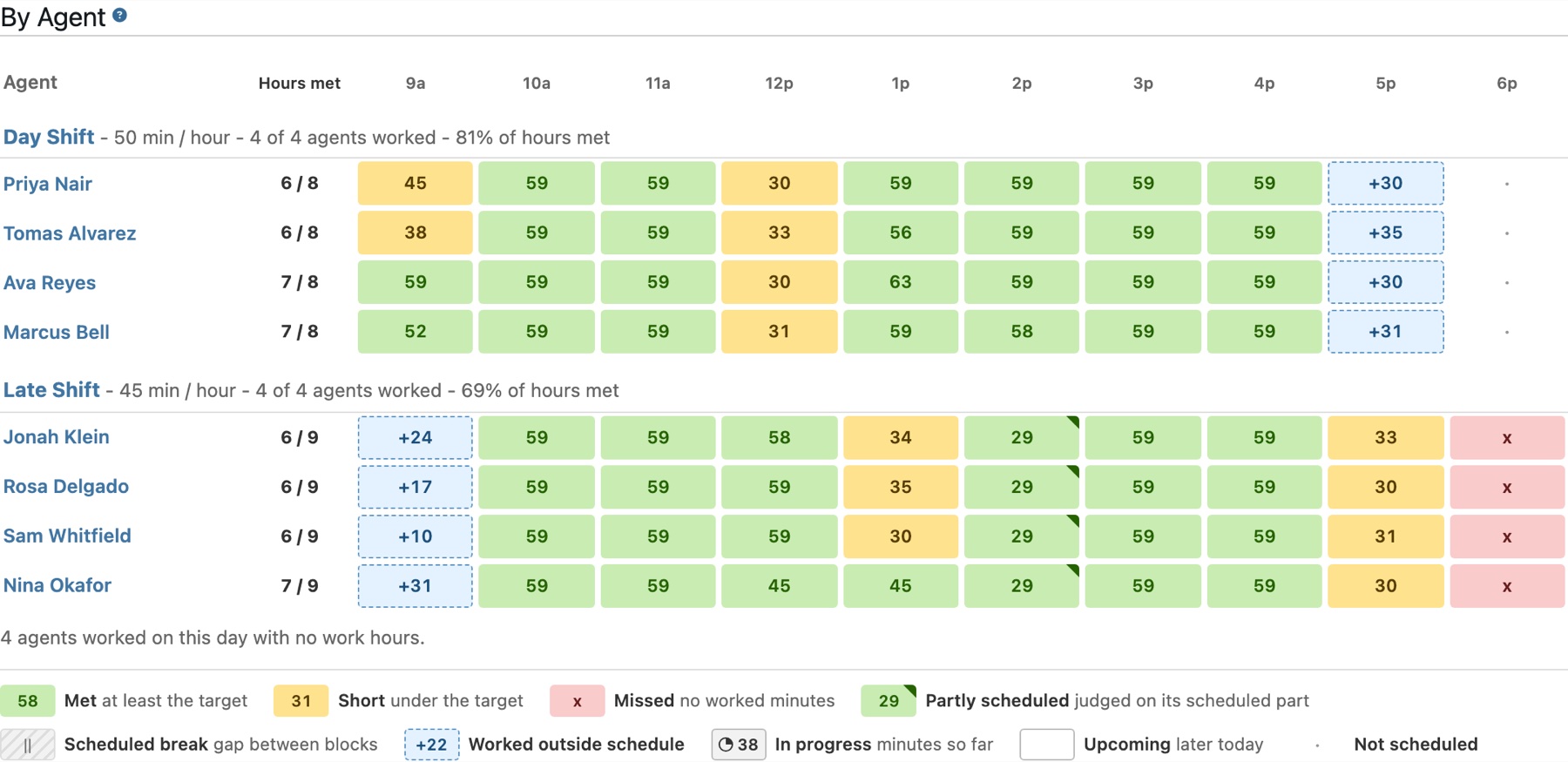
Every Scheduled Hour, Judged
Shift Adherence lays out one day with your agents under the heading of their Work Hour Group and a cell for each hour. Every scheduled hour is marked met, short, or missed, and the agents furthest short of their schedule are listed first.
- Billable time is worked time — minutes in the statuses your account marks billable count toward the target; time in any other status does not.
- Partly scheduled hours are judged fairly — an hour scheduled for 30 minutes is judged on those 30 minutes against a pro-rated target.
- Past days stay as they were — each day is judged against the hours recorded when it ended, so editing a group or moving an agent later never rewrites history.
- Drill into any hour — click a cell to open the statuses behind it.
The whole floor, hour by hour. Met, short, and missed hours for every scheduled agent, with a legend.
Work Hour Groups
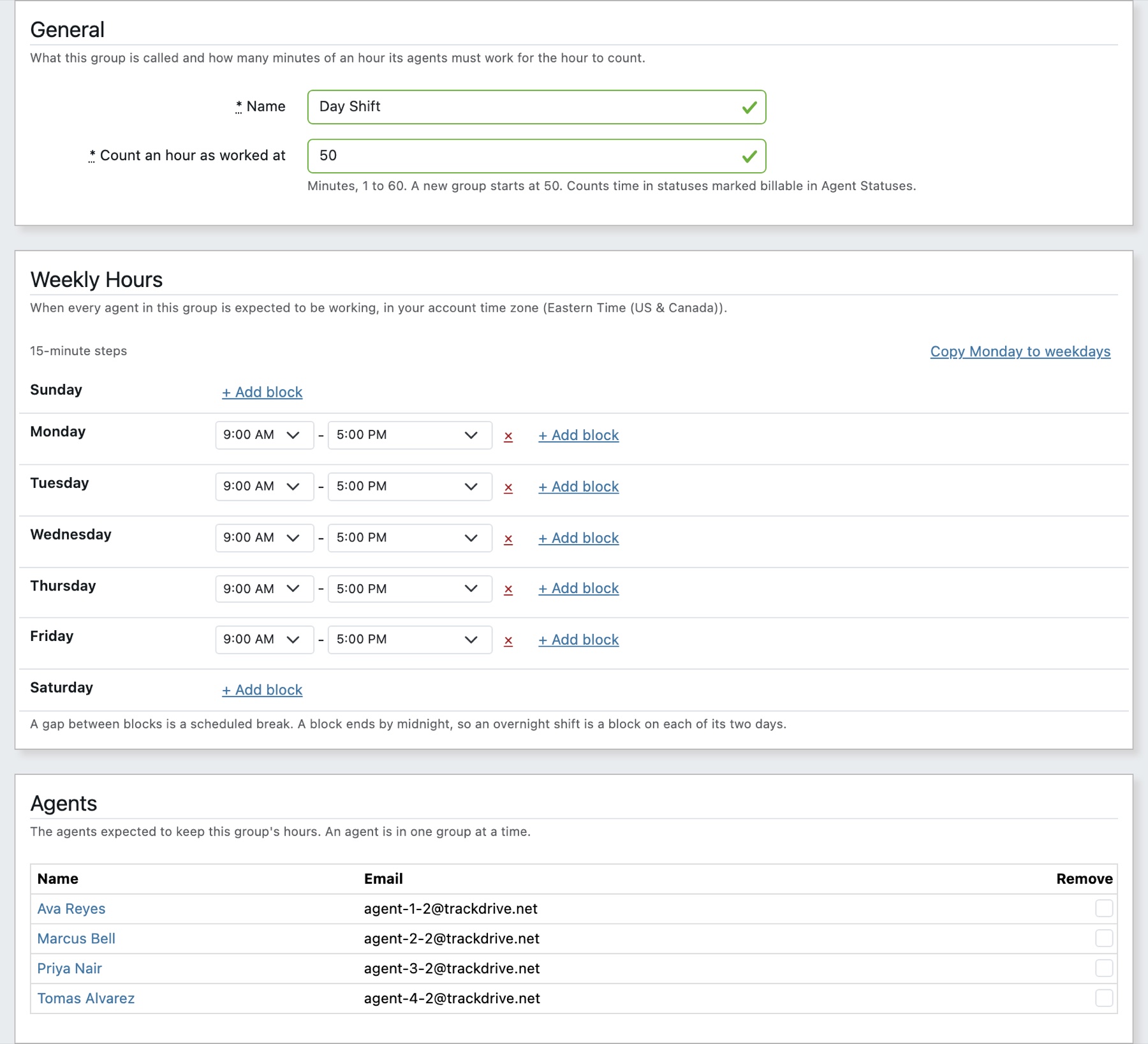
Agents who keep the same schedule share a Work Hour Group. It holds the weekly hours its agents are expected to work, in your account timezone, and the minutes of each hour they need to spend working to meet it.
- Weekly hours in 15-minute steps — split a day into as many blocks as the shift needs; the gap between two blocks is a scheduled break.
- A minutes-per-hour target — starts at 50, so an agent can step away for ten minutes in an hour and still meet it. Set it to whatever your floor expects.
- Agents assigned in bulk — add a whole team from the group's page in one save.
One schedule for a whole team. Weekly hours, the hourly target, and the agents who keep them.
Adherence on Every Agent's Page
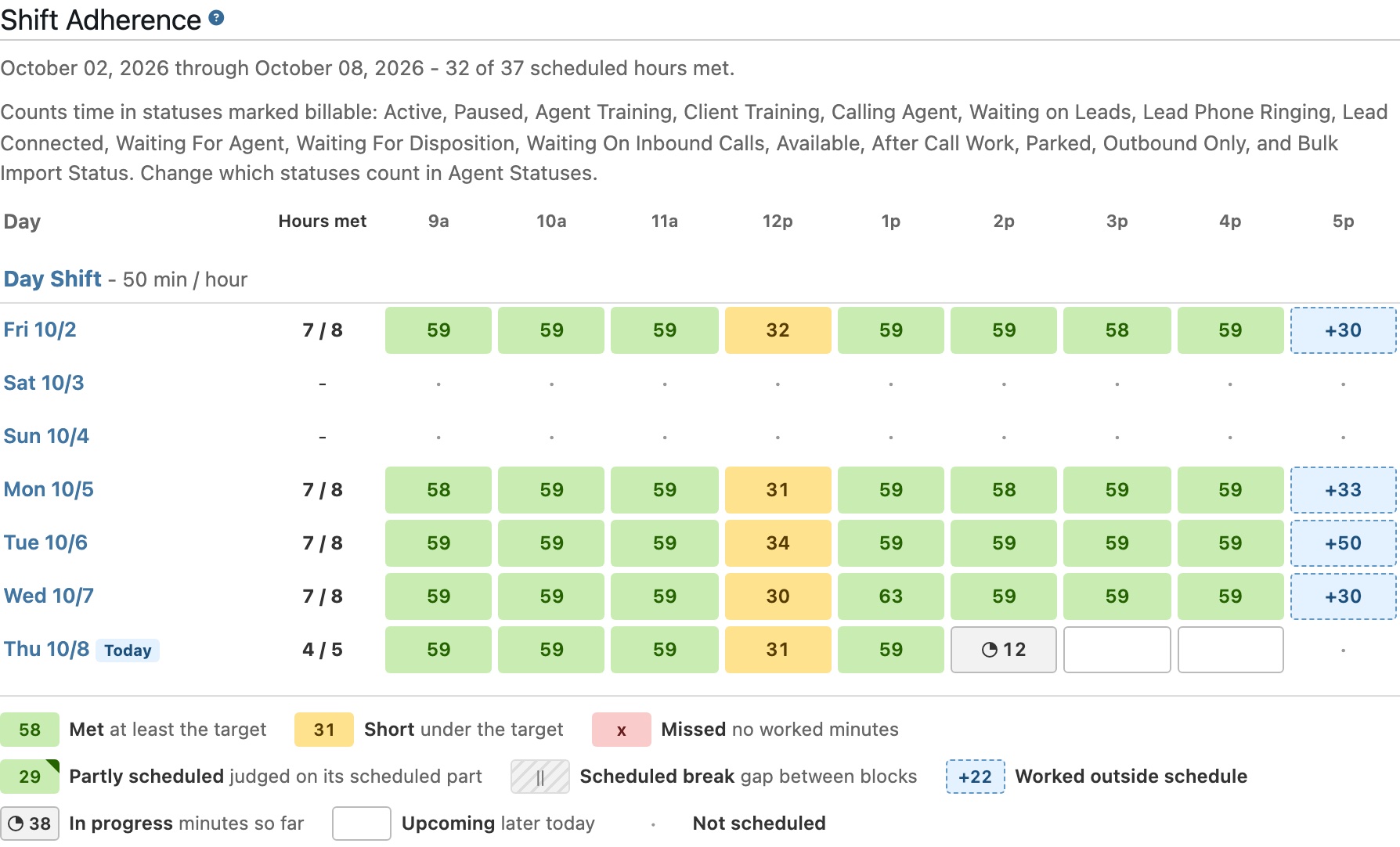
Each agent's Analytics page carries a Shift Adherence card with a row for each day of the timeframe you pick, so a one-on-one starts from how their scheduled hours actually went.
One agent, day by day. The same hourly judgement beside the rest of their figures.